Rainlendar is a customizable calendar application which stays out of your way
but keeps all your important events and tasks always visible on your desktop.

  • Events and Tasks

    Rainlendar supports events and tasks which both are kept in separate lists. This helps you to keep your life better organized and makes it easier to see what are the upcoming things you need to do.

  • Alarms

    Get notified in advanced before the event is due so that you don't forget your important events. It is also possible to snooze the alarm if you want to get reminded about it later.

  • Standards Based

    All the data is stored in the standard iCalendar format (RFC2445) which is supported by most calendar applications. This makes it easy to transfer the events between applications.

  • Highly Customizable

    The look and feel of the calendar can be changed with skins. You can also mix the skins together and have as many windows visible as you want.

  • Localized

    Rainlendar has been translated to over 50 different languages so you can use it in your native language. It's also possible to use any language when entering the events.

  • Platform Independent

    The application works in all major operating systems: Windows, Mac OS X and Linux. All the data, skins, languages and scripts are the same in all platforms so you can easily migrate between them.

  • Shared & 3rd Party Calendars

    With Rainlendar Pro you can subscribe to online calendars and share your events with other computers. You can also see and edit your Outlook appointments and tasks in Rainlendar.

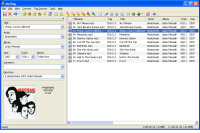
Mp3tag is a powerful and yet easy-to-use tool to edit metadata of common audio formats where it supports ID3v1, ID3v2.3, ID3v2.4, iTunes MP4, WMA, Vorbis Comments and APE Tags.

It can rename files based on the tag information, replace characters or words in tags and filenames, import/export tag information, create playlists and more.

ScreenshotsMp3tag supports online database lookups from, e.g., Amazon, discogs, or freedb, allowing you to automatically gather proper tags and cover art for your music library.


Mp3tag supports the following audio formats:

Main features:

Batch Tag Editing Write ID3v1.1, ID3v2.3, ID3v2.4, MP4, WMA, APEv2 Tags and Vorbis Comments to multiple files at once.

Support for Cover Art Download and add album covers to your files and make your library even more shiny.

Import from Amazon, discogs, freedb, MusicBrainz Save typing and import tags from online databases like Amazon, discogs, freedb, MusicBrainz, and more.

Replace characters or words Replace strings in tags and filenames (with support for Regular Expressions).

Create Playlists automatically Create and manage playlists automatically while editing.

Rename files from tags Rename files based on the tag information and import tags from filenames.

Export to HTML, RTF, CSV Generate nice reports and lists of your collection based on user-defined templates.

Full Unicode Support User-interface and tagging are fully Unicode compliant.

Besides these main features Mp3tag offers a variety of other functions and features ranging ranging from batch export of embedded album covers, over support for iTunes-specific tags like media type or TV Show settings, to combining multiple actions into groups that can be applied with a single mouse click.

ImgBurn ImgBurn is a lightweight CD / DVD / HD DVD / Blu-ray burning application that everyone should have in their toolkit!

It has several 'Modes', each one for performing a different task:

  • Read - Read a disc to an image file
  • Build - Create an image file from files on your computer or network - or you can write the files directly to a disc
  • Write - Write an image file to a disc
  • Verify - Check a disc is 100% readable. Optionally, you can also have ImgBurn compare it against a given image file to ensure the actual data is correct
  • Discovery - Put your drive / media to the test! Used in combination with DVDInfoPro, you can check the quality of the burns your drive is producing

ImgBurn supports a wide range of image file formats - including BIN, CCD, CDI, CUE, DI, DVD, GI, IMG, ISO, MDS, NRG and PDI.

It can burn Audio CD's from any file type supported via DirectShow / ACM - including AAC, APE, FLAC, M4A, MP3, MP4, MPC, OGG, PCM, WAV, WMA and WV.

You can use it to build DVD Video discs (from a VIDEO_TS folder), HD DVD Video discs (from a HVDVD_TS folder) and Blu-ray Video discs (from a BDAV / BDMV folder) with ease.

It supports Unicode folder/file names, so you shouldn't run in to any problems if you're using an international character set.

ImgBurn supports all the Microsoft Windows OS's - Windows 95, Windows 98, Windows Me, Windows NT4, Windows 2000, Windows XP, Windows 2003, Windows Vista, Windows 2008 and Windows 7 (including all the 64-bit versions). If you use Wine, it should also run on Linux and other x86-based Unixes.

It's a very flexible application with several advanced features that are often lacking in other tools, especially when it comes to burning DVD Video discs. It supports all the latest drives without the need for updates (including booktype / bitsetting / advanced settings on many of the major ones - i.e. BenQ, LiteOn, LG, NEC, Plextor, Samsung, Sony).

There is an image queue system for when you're burning several images (which you can automatically share between multiple drives if you have more than one) and an easy-to-use layer break selection screen for double layer DVD Video jobs. The Automatic Write Speed feature allows you store your favourite burn speed settings on a per 'Media ID' basis, right down to a drive by drive level. Data captured during the burn (write speed, buffer levels etc) can be displayed / analysed using DVDInfoPro.

Whilst ImgBurn is designed to work perfectly straight out of the box, advanced users will appreciate just how configurable it is.

Oh and let's not forget the best thing about it.... it's 100% FREE ;-)

The Bullzip PDF Printer works as a Microsoft Windows printer and allows you to write PDF documents from virtually any Microsoft Windows application.Bullzip

This program is FREEWARE with limitations, which means that it is FREE for personal and commercial use up to 10 users. It does not contain any advertising or popups. For commercial applications with more that 10 users there is a commercial version of the product available at www.biopdf.com.

Features

  • Print to PDF from almost any Windows program.
  • Runs on Microsoft Windows 2000/XP/XP x64/2003/2003 x64/Vista/Vista x64/2008/Windows 7.
  • Supports 64-bit operating systems.
  • Direct output to the same file each time or prompt for destination.
  • Control if the printer should ask if you want to see the resulting PDF document.
  • Control output and prompts programmatically.
  • Setup can run unattended.
  • Graphical user interface.
  • Password protect PDF documents.
  • 128/40 bit encryption.
  • Quality settings (screen, printer, ebook, prepress).
  • Set document properties.
  • Watermark text, size, rotation, and transparency.
  • Superimpose/background documents.
  • Appending/prepending documents.
  • User interface control.
  • Command line interface to all settings.
  • COM/ActiveX interface for programmatic control.
  • Support for Citrix MetaFrame
  • Support for Windows Terminal Server
  • Multiple output types supported: BMP, JPEG, PCX, PDF, PNG, and TIFF.

7ziplogo 7-Zip is a file archiver with a high compression ratio.

The main features of 7-Zip

  • High compression ratio in 7z format with LZMA and LZMA2 compression
  • Supported formats:
    • Packing / unpacking: 7z, XZ, BZIP2, GZIP, TAR, ZIP and WIM
    • Unpacking only: ARJ, CAB, CHM, CPIO, CramFS, DEB, DMG, FAT, HFS, ISO, LZH, LZMA, MBR, MSI, NSIS, NTFS, RAR, RPM, SquashFS, UDF, VHD, WIM, XAR and Z.
  • For ZIP and GZIP formats, 7-Zip provides a compression ratio that is 2-10 % better than the ratio provided by PKZip and WinZip
  • Strong AES-256 encryption in 7z and ZIP formats
  • Self-extracting capability for 7z format
  • Integration with Windows Shell
  • Powerful File Manager
  • Powerful command line version
  • Plugin for FAR Manager
  • Localizations for 79 languages

7-Zip works in Windows 7 / Vista / XP / 2008 / 2003 / 2000 / NT / ME / 98. There is a port of the command line version to Linux/Unix.

CCleaner is the number-one tool for cleaning your Windows PC. It protects your privacy online and makes your computer faster and more secure. Easy to use and a small, fast download.

CCleaner

Cleans all areas of your Computer

Internet Explorer

Internet Explorer
Temporary files, history, cookies, Autocomplete form history, index.dat.

Firefox

Firefox
Temporary files, history, cookies, download history, form history.

Google Chrome

Google Chrome
Temporary files, history, cookies, download history, form history.

Opera

Opera
Temporary files, history, cookies.

Apple Safari

Safari
Temporary files, history, cookies, form history.

Windows

Windows
Recycle Bin, Recent Documents, Temporary files and Log files.

Registry

Registry Cleaner
Advanced features to remove unused and old registry entries.


RocketDock is a smoothly animated, alpha blended application launcher. It provides a nice clean interface to drop shortcuts on for easy access and organization. With each item completely customizable there is no end to what you can add and launch from the dock.
Now with added Taskbar support your minimized windows can appear as icons on the dock. This allows for better productivity and accessibility.

Features:

  • Minimize windows to the dock
  • Real-time window previews in Vista
  • Running application indicators
  • Simple drag-n-drop interface
  • Multi-monitor support
  • Supports alpha-blended PNG and ICO icons
  • Icons zoom and transition smoothly
  • Auto-hide and Popup on mouse over
  • Positioning and layering options
  • Fully customizable
  • Completely Portable
  • ObjectDock Docklet support
  • Compatible with MobyDock, ObjectDock, RK Launcher, and Y'z Dock skins
  • Runs great on slower computers
  • Unicode compliant
  • Supports many languages and can easily be translated
  • A friendly user base :)
  • And best of all... its FREE!!!

AutoSizer1.71

AutoSizer automatically resizes programs for you, keeping them at a specific size or keeping them maximized. One popular use is to keep Internet Explorer maximized when you go on the web. It works with most software programs, and supports maximizing to specific monitors on multi-monitor computers. Use the handy Always On Top system tray menu to quickly position specific programs above all others.

FlashGet is a leading download manager and has the highest amount of users on the internet. It uses MHT(Multi-server Hyper-threading Transportation) technique, supports various protocols and has excellent document management features. FlashGet is a freeware without any adware or spyware.

New Features
100% Clean, free        FlashGet
No adware and spyware Easy to install and use

Call anti-virus automatically
FlashGet can call anti-virus automatically to clean virus,spyware and adware after finishing download.

Optimize the system resources
FlashGet can use up the lowest system resources and will not influence your normal work or study.

Increase the speed and stability
It uses MHT(Multi-server Hyper-threading Transportation) technique and optimization arithmetic and it can split downloaded files into sections and supports multipoint transfers in parallel. Moreover, the techniques (UDCT, Ultra Disk Cache Tech) can protect your hard disk and make you download more stable.

SupportHTTP,FTP,BT,eMule and other various protocols
FlashGet supports HTTP,FTP,BT,MMS,RTSP and other protocols. It is seamless between protocols and there is no need to operate manually for download switch.
The One Touch technique optimizes BT download and can automatically download target files after getting seeds information, hence no need to operate again.

Powerful files management feature
It supports unlimited categories. Each category is assigned a download saving directory. The powerful management feature.

http://www.flashget.com/en/download.html

GOM Media Player Features

Codec Finder
GOM Player includes many codecs (XviD, DivX, FLV1, AC3, OGG, MP4, H263 and more) so you won't need to install separate codecs for most videos. For those videos that require a separate codec, GOM Player will find one and direct you to a place where you can download an open source version of the codec. That way, you won't get stuck witGomPlayerh unnecessary codecs on your system.
Play Broken AVI Files (Patented)
AVI files can't be played if the index is broken, or if the file isn't completely downloaded. This is because the index is located at the end of the file. GOM Player's patented technology enables users to view files with broken indexes or that are still being downloaded.
Powerful Subtitle Support
GOM Player supports SMI, SRT, RT, SUB(with IDX) files for subtitle. You can specify margin, location, size, resolution, font and others. You can also enable shadow, view ASF files with subtitle, karaoke subtitle mode. You can even synchronize subtitle and video if there's any mismatch.
Convenient Playlist
If you run a video file and there is already a file with a similar name in the directory, it will be automatically added to your playlist. GOM Player has a similar playlist format as M3U, PLS, ASX and you can also include and edit different media formats on that playlist as well. It's easy to create and edit your own multimedia playlist with GOM Player.
Support Different Media Types
Along with different media format such as AVI, MPG, MPEG and DAT, GOM Player also supports streaming Windows media format (WMV, ASF, ASX). You can also watch DVD-quality videos with 5.1 channel audio output.
Screen Capture
Screen capture allows you to take a screenshot of your video directly from GOM Player. Using the Burst Capture feature, you can take continuous screenshots up to 999 shots.
Advanced Features
There are an endless number of advanced features. Customize brightness, contrast and saturation. Sharpen and add noise to your video. Try the audio equalizer. Repeat a section of your video with our A-B Repeat feature. Fast forward/rewind a few seconds using left/right keys. And much more for you to discover!

System Requirements

  • Microsoft Windows 98SE, Me, 2000, XP, 2003, Vista or Windows 7
  • Intel-compatible CPU P3 or greater Minimum amount of RAM recommended by the operating system in use 20MB Hard Drive Space.
  • Some videos may require the newest version of DirectX or Windows Media Player.
  • Recommended settings may change according to different types of video files.
  • Modify 'Deadlock problem' occasionally happened when you shut down the player.
  • Improve Vorbis audio decoder performance.

http://www.gomlab.com/eng/GMP_download.html